

Desktop computers are like cars in one important way: some sip fuel gently while others burn through energy like a race machine on a track. One tiny office PC might quietly consume less electricity than a light bulb, while a high-end gaming rig with a flagship graphics card can pull enough power to noticeably affect your monthly utility bill. That massive difference is why so many people ask the same question: how much power does a desktop computer actually consume?
The answer depends on several moving parts. Your processor, graphics card, cooling system, storage drives, monitor setup, and even your power supply efficiency all influence the amount of electricity your PC uses every day. A computer that mostly handles emails and web browsing behaves very differently from one rendering 4K videos, training AI models, or running modern AAA games at ultra settings. Real-world measurements show desktop PCs can range anywhere from around 50 watts during idle states to well over 800 watts under extreme workloads.
People often assume that a computer’s power supply rating tells them exactly how much electricity the machine uses. That is one of the biggest misconceptions in PC hardware. An 850W power supply does not mean your desktop constantly consumes 850 watts. Think of it like a water pipe that can deliver a certain amount when needed, not a faucet permanently running at maximum flow. Your system only draws the power required for the tasks it performs. That distinction matters enormously when calculating long-term energy costs or choosing components for an energy-efficient build.
Understanding Desktop Computer Power Consumption
What Watts Mean in Everyday Computing
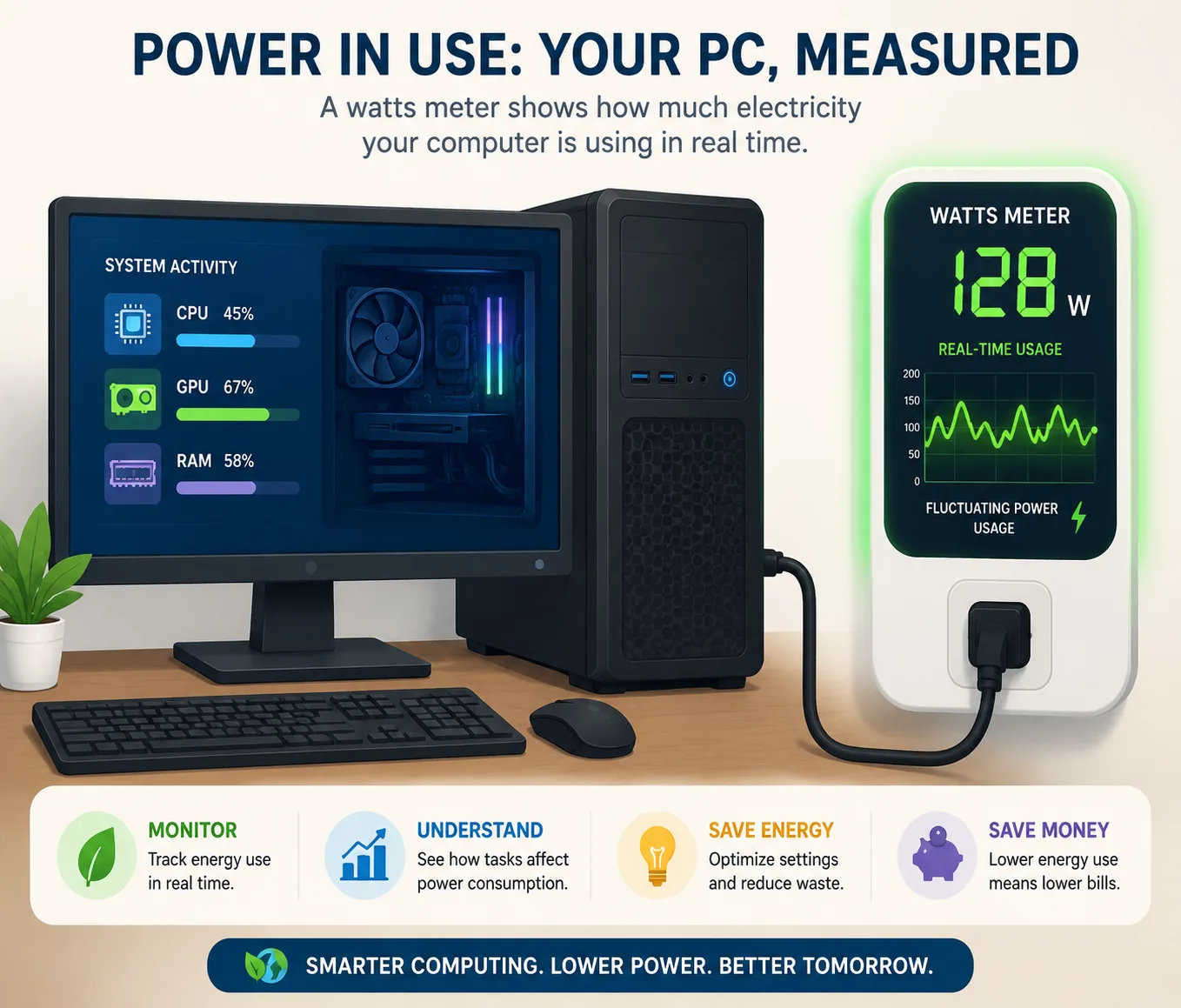
Electricity usage is measured in watts, and desktop computers constantly shift their wattage depending on what they are doing. A system sitting idle at the Windows desktop might consume only 60 watts, but opening a demanding game or rendering software can push that same machine to 500 watts or more within seconds. This dynamic behavior is what makes desktop power consumption so interesting. PCs are not static appliances; they behave more like athletes whose energy use changes based on activity intensity.
Most modern desktop computers fall into a few broad categories. Office desktops commonly consume between 50 and 150 watts during normal productivity tasks. Gaming systems generally operate between 300 and 800 watts while actively gaming, especially when equipped with powerful GPUs. High-end workstations used for video editing, AI processing, or 3D rendering can exceed those numbers under sustained heavy loads.
Here is a simplified comparison of common desktop usage scenarios:
| Usage Scenario | Typical Power Consumption |
|---|---|
| Idle Desktop | 50–100W |
| Web Browsing & Office Work | 80–150W |
| Moderate Multitasking | 150–300W |
| Gaming | 300–800W |
| Video Rendering & Heavy Workloads | 400–900W |
The most important thing to understand is that power consumption changes constantly. Even moving your mouse, opening browser tabs, or launching a software update causes tiny spikes in electricity use. Modern CPUs and GPUs aggressively scale their clock speeds and voltage to balance performance with efficiency, which is why today’s computers are significantly more energy-aware than systems from a decade ago.
Why Desktop PCs Consume Different Amounts of Power
Two desktop computers can look nearly identical on the outside while consuming vastly different amounts of electricity internally. The biggest reason is hardware configuration. A compact office PC using integrated graphics is designed for efficiency, while a gaming tower prioritizes raw performance above everything else. That performance comes at an electrical cost.
The graphics card usually creates the largest gap between systems. Integrated graphics built into CPUs consume minimal power, often under 30 watts during light use. Compare that to a flagship gaming GPU that can consume 350 to 450 watts by itself under load. That single component can consume more electricity than an entire office desktop.
Cooling also plays a role. More powerful hardware generates more heat, and removing that heat requires additional fans, pumps, and airflow systems. RGB lighting may seem harmless, but dozens of LEDs spread across fans, memory modules, and cases still consume measurable electricity over time. Storage configurations matter too. SSDs are far more power-efficient than traditional hard drives, particularly older mechanical drives that constantly spin at high speeds.
Usage habits create another huge difference. Someone who leaves a gaming PC running 24 hours a day will obviously consume far more electricity than someone who shuts it down after work. Even display settings affect total consumption. Running multiple monitors, especially high-refresh-rate displays, increases the total power draw of the entire setup.
Typical Desktop Power Usage During Everyday Tasks
Idle Power Consumption
Idle power consumption is one of the most overlooked aspects of desktop electricity usage. Many people assume their PC uses almost no power when sitting unused, but that is not entirely true. Even at idle, the motherboard, RAM, storage devices, background software, cooling fans, and networking hardware continue operating.
Modern desktops typically consume between 50 and 100 watts while idle. Gaming PCs with powerful graphics cards often idle at the higher end of that range because dedicated GPUs still require baseline power for memory management and display output. Some high-performance systems with multiple monitors can idle above 120 watts without running any demanding applications.
Why does idle consumption matter so much? Because idle time often represents the majority of a computer’s lifespan. Think about your own routine. Your PC may spend hours sitting on the desktop while you read articles, answer messages, or take breaks. Those long stretches add up over weeks and months. A difference of just 40 watts in idle consumption can noticeably affect yearly electricity costs.
Idle efficiency has improved dramatically over the years. Modern processors aggressively reduce voltage and clock speeds during inactivity. Graphics cards also use advanced low-power states when not rendering games or 3D applications. That is why many newer desktops consume far less electricity during idle periods compared to older systems built around inefficient architectures.
Web Browsing, Office Work, and Streaming
Typical daily computing tasks are surprisingly light from a power perspective. Web browsing, email, document editing, and video streaming usually keep desktop systems in the 80–150 watt range depending on hardware. That means your PC often uses less electricity than many household appliances people barely think about.
Streaming video introduces some interesting behavior. Watching 4K content on YouTube or Netflix increases GPU decoding activity slightly, but modern graphics processors handle video playback very efficiently. Office work behaves similarly. Applications like Microsoft Word, Excel, and Google Docs barely stress modern CPUs, which allows the processor to stay in low-power operating states most of the time.
Multitasking changes things quickly. Open twenty browser tabs, run Spotify, sync cloud storage, join a Zoom meeting, and launch Photoshop simultaneously, and your desktop begins consuming noticeably more power. The CPU must remain active longer, memory usage increases, and cooling fans may spin faster to maintain temperatures.
Still, productivity-focused PCs remain relatively efficient overall. Many office desktops operate comfortably under 100 watts for the majority of the workday. That efficiency is one reason businesses increasingly prioritize energy-efficient systems in large office environments where hundreds of computers run simultaneously.
Gaming, Editing, and Heavy Workload Power Consumption
Gaming PC Electricity Usage
Gaming is where desktop computers begin flexing their electrical muscles. Modern AAA titles demand enormous computational power, especially at high resolutions and refresh rates. As a result, gaming PCs can consume anywhere from 300 watts to over 800 watts during active gameplay depending on the hardware configuration.
The graphics card dominates gaming power usage. In many gaming systems, the GPU alone accounts for 40% to 60% of total system power draw. High-end cards such as enthusiast-class GPUs regularly consume 300–450 watts under load. Pair one of those with a powerful multi-core CPU, RGB lighting, liquid cooling, and multiple storage drives, and total consumption rises quickly.
Different games create very different power profiles. Competitive esports titles like Valorant or CS2 are relatively light compared to graphically demanding games such as Cyberpunk 2077 or Microsoft Flight Simulator. Frame rate targets also matter enormously. A system rendering 300 FPS works significantly harder than one capped at 60 FPS. That is why frame limiters can reduce power usage dramatically without hurting gameplay quality.
Here is a practical breakdown of gaming power consumption:
| Gaming Setup | Typical Gaming Power Draw |
|---|---|
| Budget Gaming PC | 300–400W |
| Mid-Range Gaming PC | 400–550W |
| High-End Gaming PC | 600–800W |
| Extreme Enthusiast Builds | 800W+ |
Gaming electricity costs depend heavily on usage patterns. Four hours of gaming daily on a 500W system can consume several kilowatt-hours per week. Over a year, that becomes a meaningful utility expense, especially in regions with high electricity prices.
Video Editing and Rendering Workloads
Video editing workloads stress both CPUs and GPUs simultaneously, which creates unique power demands. Unlike gaming, which often fluctuates based on scene complexity, rendering tasks can keep hardware pinned at near-maximum usage for hours at a time. That sustained load increases both power consumption and heat generation.
A desktop rendering 4K video may consume 400–700 watts continuously depending on the software and hardware involved. Applications such as Adobe Premiere Pro, DaVinci Resolve, and Blender aggressively utilize multi-core processors and GPU acceleration. The longer the render, the more electricity the system consumes.
Creators often underestimate how much storage and memory contribute during professional workloads. Multiple SSDs, high-capacity hard drives, external devices, and additional cooling all add incremental power usage. Workstations designed for 3D modeling or AI processing can consume even more due to powerful GPUs optimized for compute tasks rather than gaming efficiency.
Interestingly, efficient hardware can reduce render times enough to offset higher short-term wattage. A faster GPU may consume more power per hour but complete tasks in half the time, ultimately reducing total energy consumption per project. That tradeoff between speed and efficiency is one of the most fascinating aspects of workstation design.
Which Desktop Components Use the Most Electricity?
GPU Power Consumption Explained
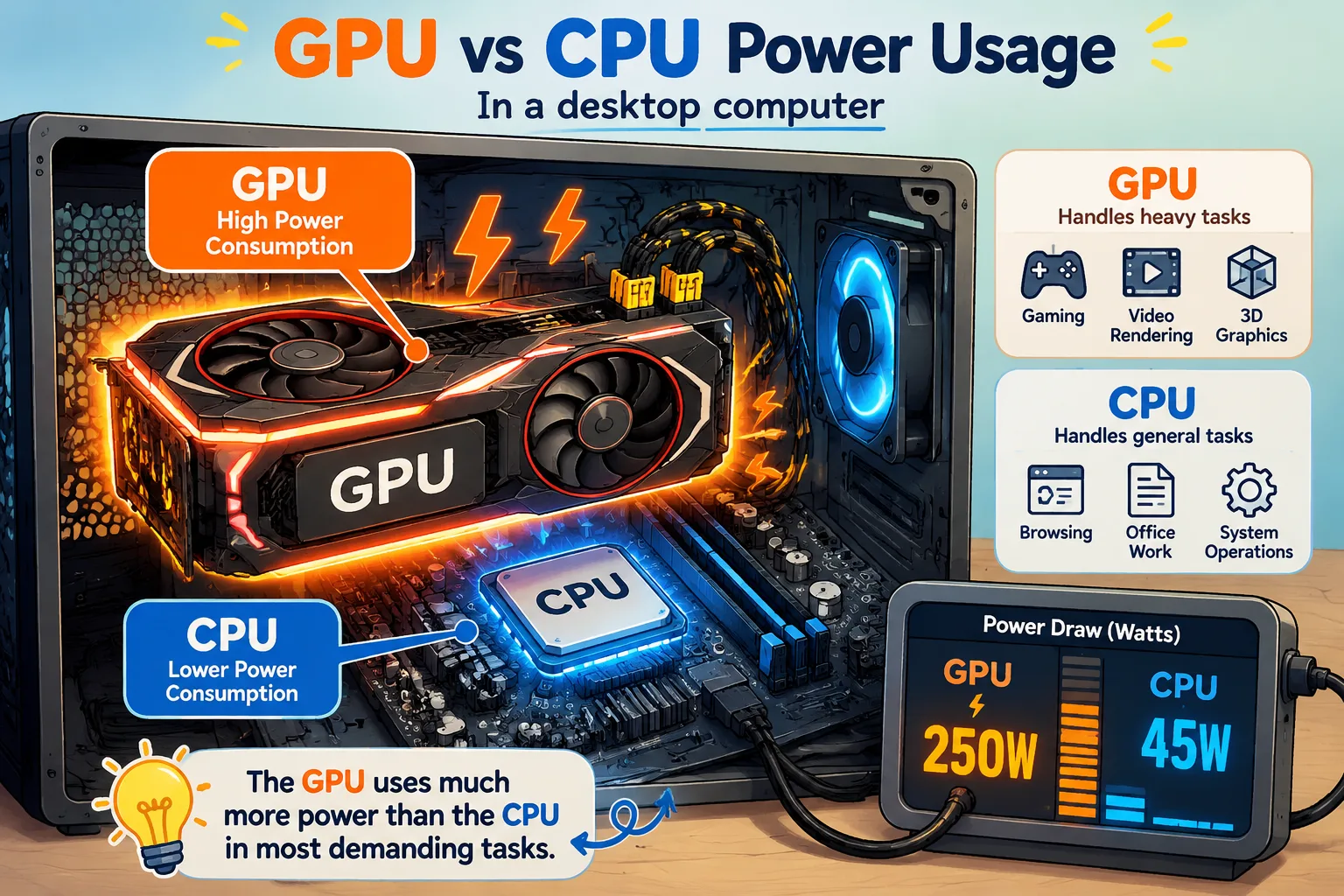
If desktop computers were cities, the GPU would be the industrial district consuming most of the electricity. Modern graphics cards are extraordinarily powerful, but that performance comes with massive energy requirements. High-end GPUs commonly consume between 200 and 450 watts under gaming or rendering loads.
Why do GPUs consume so much power? Parallel processing. Graphics cards contain thousands of tiny cores working simultaneously to process lighting, textures, shadows, physics, and AI calculations. That workload demands significant electrical current, especially during real-time rendering at high resolutions.
The jump between entry-level and enthusiast GPUs is enormous. A modest graphics card might use 120 watts, while a flagship model can consume nearly four times as much. That difference explains why gaming PCs vary so dramatically in electricity usage. One upgrade alone can transform an efficient system into a power-hungry beast.
Thermal management becomes critical here. Higher wattage means more heat, which requires larger coolers and more aggressive fan curves. That cooling overhead increases total system power consumption further. It is a chain reaction: more performance creates more heat, which requires more cooling, which consumes more electricity.
CPU Energy Usage Under Load
The CPU acts as the brain of the desktop, and modern processors are incredibly adaptive in their energy behavior. During light workloads, many CPUs consume surprisingly little power. Under heavy multi-core loads, though, consumption rises dramatically.
High-performance desktop processors can draw 125–300 watts or more under sustained workloads. CPUs used for gaming often consume less than their absolute maximum because most games rely more heavily on the GPU. Productivity workloads such as encoding, simulation, and software compilation push processors much harder.
Overclocking changes the equation significantly. Increasing voltage and clock speed boosts performance, but power consumption rises disproportionately. Think of it like driving a sports car at top speed. The last bit of performance often requires dramatically more fuel. The same principle applies to desktop processors.
Efficient CPUs are becoming increasingly attractive because they deliver strong performance without extreme power demands. Many modern chips offer excellent balance between speed and efficiency, making them ideal for users who want lower electricity costs without sacrificing responsiveness.
Storage Drives, RAM, Cooling, and Motherboards
Secondary components consume far less power individually, but together they still matter. Mechanical hard drives typically use more electricity than SSDs because they rely on spinning platters and moving read heads. SSDs are much more efficient, often consuming only a few watts during operation.
RAM modules usually consume between 2 and 8 watts each depending on speed and voltage. High-performance memory kits draw slightly more power, especially when overclocked. Motherboards themselves also require electricity for chipsets, voltage regulation, networking, and integrated controllers.
Cooling systems are another hidden contributor. A single fan consumes little electricity, but systems packed with multiple RGB fans and liquid cooling pumps add measurable overhead. Large enthusiast builds sometimes include ten or more fans running simultaneously, which gradually increases overall system consumption.
Idle Power Draw vs Full Performance Load
Why Power Usage Changes So Dramatically
Desktop computers are dynamic machines. Unlike refrigerators or lamps, which maintain relatively stable energy usage, PCs constantly adjust power consumption based on workload intensity. That is why a system might consume 70 watts one moment and 600 watts the next.
Modern hardware uses sophisticated power management technologies to scale voltage and frequency in real time. When you browse the web, your CPU may downclock aggressively to conserve energy. Launch a demanding game, and both CPU and GPU instantly increase clock speeds and voltage to maximize performance.
This behavior creates massive differences between idle and full-load power draw. Many gaming PCs reduce consumption by 80% or more when not actively gaming. That flexibility is one reason desktop systems remain practical despite their high peak power capabilities.
Real-World Examples of Idle vs Load Consumption
The contrast between idle and load consumption can feel almost shocking. Consider these examples:
| System Type | Idle Consumption | Full Load Consumption |
|—|—|
| Office Desktop | 40–70W | 120–180W |
| Mid-Range Gaming PC | 70–120W | 450–600W |
| High-End Workstation | 100–150W | 700–900W |
This variation explains why electricity cost calculations must consider actual usage patterns rather than maximum PSU ratings. A gaming PC capable of drawing 850 watts may spend most of its life below 150 watts if the owner mainly uses it for browsing and media consumption.
Power Supply Efficiency and Its Effect on Consumption
Understanding 80 PLUS Ratings
Power supplies do not convert electricity perfectly. Some energy is always lost as heat during the AC-to-DC conversion process. PSU efficiency ratings measure how effectively the unit converts wall power into usable system power.
The popular 80 PLUS certification system categorizes efficiency levels:
| PSU Rating | Typical Efficiency |
|---|---|
| 80 PLUS Bronze | 82–85% |
| 80 PLUS Silver | 85–88% |
| 80 PLUS Gold | 87–90% |
| 80 PLUS Platinum | 90–94% |
| 80 PLUS Titanium | 92–96% |
Higher efficiency means less wasted electricity and lower heat output. A more efficient PSU effectively reduces the amount of electricity pulled from the wall for the same computing workload.
How PSU Efficiency Impacts Electricity Bills
Efficiency curves matter more than most people realize. Power supplies are generally most efficient around moderate load levels rather than extreme low or high utilization. Community discussions and hardware experts frequently point out that massively oversized PSUs can operate less efficiently during light workloads.
For example, if your PC components require 400 watts and your PSU operates at 90% efficiency, the wall draw becomes roughly 444 watts. A less efficient PSU might pull 470 watts or more for the same workload. Over months and years, those differences add up.
Efficient power supplies also generate less heat, reducing cooling demands inside the case. That indirect efficiency improvement further helps minimize overall system consumption.
Calculating Desktop Computer Energy Costs
Formula for Calculating Electricity Costs
Calculating desktop electricity costs is easier than many people think. The standard formula is:
<math xmlns=”Energy (kWh)=Power (W)×Hours Used1000text{Energy (kWh)} = frac{text{Power (W)} times text{Hours Used}}{1000}
To calculate cost:
<math xmlns=”Cost=Energy (kWh)×Electricity Ratetext{Cost} = text{Energy (kWh)} times text{Electricity Rate}
Suppose your gaming PC averages 400 watts during gameplay and you use it for 4 hours daily:
- 400W × 4 hours = 1600Wh
- 1600Wh ÷ 1000 = 1.6kWh per day
If electricity costs $0.15 per kWh:
- 1.6 × $0.15 = $0.24 daily
- About $7.20 monthly
- Roughly $87.60 yearly
These numbers vary widely depending on local electricity rates and actual usage habits.
Monthly and Yearly Cost Examples
Here is a rough estimate of desktop electricity costs:
| Desktop Type | Estimated Monthly Cost |
|---|---|
| Office Desktop | $3–6 |
| Average Home Desktop | $8–15 |
| Gaming PC | $15–40+ |
Heavy rendering workstations or systems left running continuously can exceed these ranges significantly. Multiple monitors, speakers, networking gear, and peripherals also contribute to total setup consumption.
Ways to Reduce Desktop Power Usage Without Losing Performance
Smart Hardware Upgrades
Reducing desktop electricity consumption does not mean sacrificing speed. Modern efficient hardware often delivers better performance per watt than older components. Upgrading from a mechanical hard drive to an SSD reduces power use while improving responsiveness dramatically.
Efficient GPUs are especially important. Some modern graphics cards deliver nearly the same gaming performance as flagship models while consuming far less electricity. Choosing balanced hardware instead of chasing absolute maximum performance often creates the best long-term efficiency.
Using an appropriately sized high-efficiency PSU also helps. A quality 80 PLUS Gold or Platinum unit minimizes wasted electricity and reduces unnecessary heat generation.
Software and System Tweaks
Simple software adjustments can meaningfully reduce power consumption. Enabling balanced power plans, configuring sleep settings, and lowering unnecessary background activity all improve efficiency. Frame rate caps in games are particularly effective because GPUs consume much less power when not rendering excessive frames.
Undervolting is another popular optimization technique. By slightly reducing voltage while maintaining stable performance, users can lower temperatures and power consumption simultaneously. Many modern GPUs and CPUs respond extremely well to undervolting.
Efficient Gaming and Productivity Settings
Small gaming adjustments can produce surprisingly large savings. Lowering graphics settings slightly, enabling DLSS or frame generation technologies, and limiting refresh rates all reduce GPU load. The visual difference is often tiny, but the electricity savings can be substantial over time.
For productivity users, shutting down unused peripherals, reducing monitor brightness, and avoiding unnecessary startup programs help keep power usage low. Think of desktop efficiency like tuning a musical instrument. Tiny adjustments across multiple areas create a much smoother overall performance.
Conclusion
Desktop computer power consumption varies enormously because desktops themselves vary enormously. A simple office PC may quietly consume less than 100 watts for most of the day, while a high-end gaming or rendering workstation can surge beyond 800 watts under heavy workloads. The biggest power consumers are usually the GPU and CPU, especially during gaming, video editing, AI processing, and rendering tasks.
Understanding idle consumption, load behavior, PSU efficiency, and real-world usage patterns gives you a much clearer picture of what your computer truly costs to operate. Electricity expenses are not determined by PSU ratings alone. They depend on how often the system runs, what workloads it handles, and how efficiently its components convert power into performance.
The good news is that modern desktops are smarter and more efficient than ever before. With balanced hardware choices, efficient power supplies, sensible software settings, and a few optimization techniques, you can significantly reduce electricity usage without giving up the speed and responsiveness that make desktop PCs so powerful in the first place.
FAQs
1. How many watts does a normal desktop computer use?
A normal desktop computer usually consumes between 50 and 150 watts during everyday tasks such as browsing, office work, and streaming. Gaming or heavy workloads can increase consumption significantly.
2. Does a bigger power supply consume more electricity?
Not directly. A larger PSU only provides the capacity for higher power delivery. Your PC components still draw only the electricity they need. PSU efficiency at different load levels can slightly affect total wall consumption.
3. What component uses the most power in a gaming PC?
The graphics card is usually the biggest power consumer in gaming systems. High-end GPUs can consume 300–450 watts or more under heavy gaming loads.
4. Is it expensive to leave a desktop computer running all day?
It depends on the hardware and electricity rates. An efficient office PC left idle all day costs relatively little, while a high-end gaming PC running continuously can noticeably increase monthly energy bills.
5. How can I measure my desktop’s actual power consumption?
The most accurate method is using a wall power meter. These devices plug between your desktop and the electrical outlet to measure real-time electricity usage directly.

Colt Marlowe is a 29-year-old American content writer based in Boise, Idaho. He specializes in technology, digital tools, and online business topics, combining years of research with practical experience to produce clear, trustworthy articles. As a contributor to wirelogic.online, he focuses on creating well-researched, reader-friendly content that emphasizes accuracy, transparency, and long-term value for audiences seeking reliable information.