

Have you ever plugged in your phone, laptop, electric vehicle, or wireless earbuds only to discover that the battery percentage barely moves? It feels almost like watching paint dry. Slow charging has become one of the most frustrating tech problems because modern devices are supposed to charge faster than ever. Yet many people still experience painfully slow charging speeds without understanding the real cause behind it.
The truth is that battery charging speed depends on far more than just the charger itself. The battery chemistry, cable quality, heat levels, software restrictions, background apps, aging cells, and even room temperature all influence how quickly energy flows into your device. Modern batteries are smart, protective, and cautious. They deliberately slow down when something seems unsafe. In many cases, slow charging is not actually a malfunction; it is your device protecting the battery from long-term damage.
Recent battery industry research also shows that excessive heat, poor charging habits, and incompatible accessories are among the leading reasons devices lose charging efficiency over time. Studies involving electric vehicles and smartphones found that thermal management and battery health play a bigger role than charging wattage alone.
Before replacing your battery or buying another charger, it helps to understand what really slows charging down. Once you know the causes, fixing the issue becomes much easier.
Understanding How Battery Charging Works
Battery charging sounds simple on the surface. You plug in a cable, electricity flows into the battery, and eventually the device reaches 100 percent. Underneath that simple process is an incredibly complex balancing act involving voltage regulation, heat management, chemical reactions, and software monitoring. Modern devices constantly monitor battery temperature, charging rate, voltage levels, and power consumption to prevent permanent damage.
Most modern electronics use lithium-ion batteries, which charge in stages rather than at one constant speed. At lower battery percentages, devices allow higher power input because the cells can safely absorb energy quickly. As the battery approaches full capacity, charging naturally slows to reduce stress on the cells. That is why going from 10% to 60% often feels fast, while moving from 80% to 100% can feel painfully slow. Research on EV charging systems confirms that this charging taper is intentional and designed to protect long-term battery health.
The Difference Between Fast Charging and Slow Charging
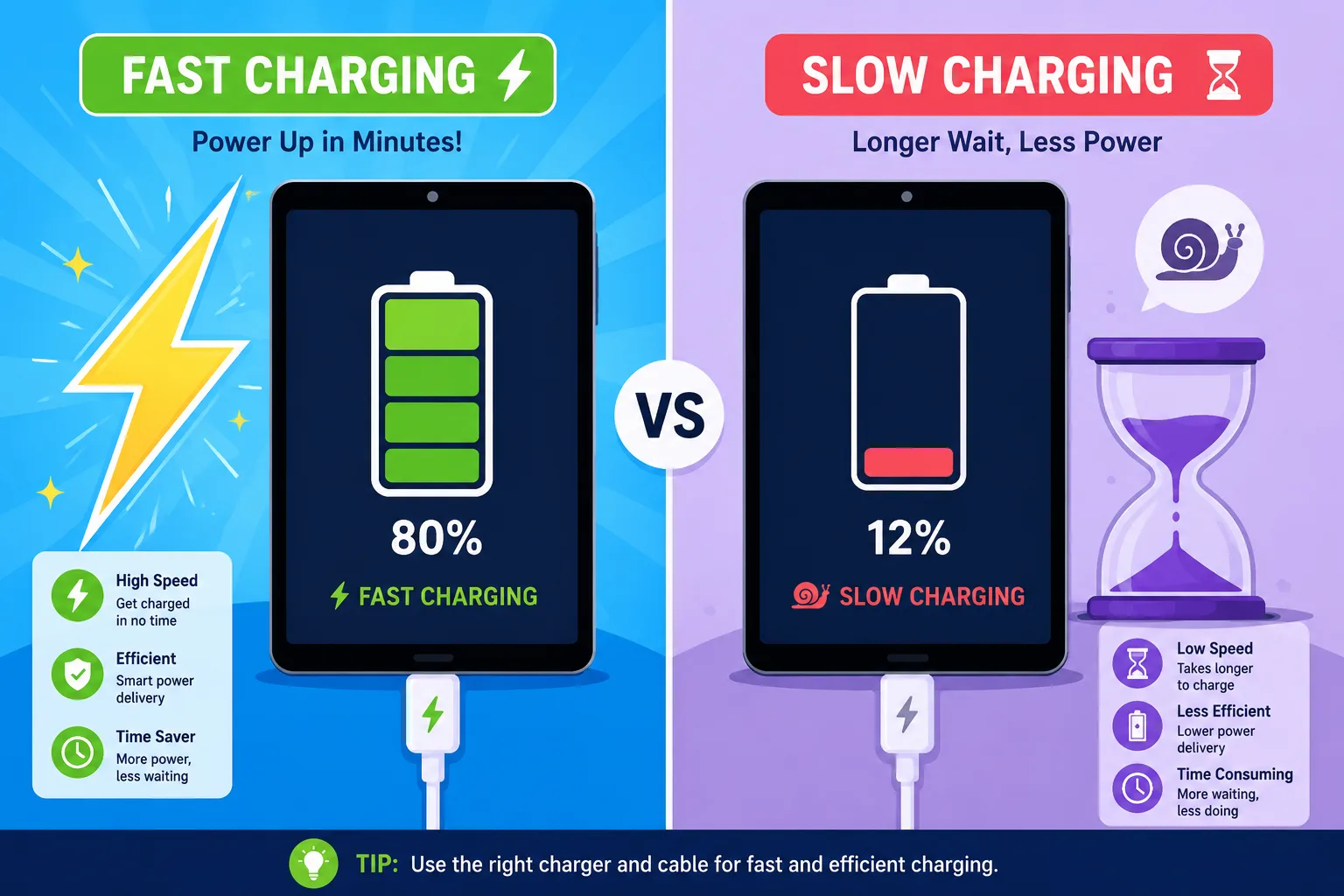
Fast charging technologies like USB Power Delivery, Qualcomm Quick Charge, and SuperVOOC push significantly higher wattage into the battery compared to traditional chargers. A normal charger may deliver only 5 watts, while fast chargers can provide 20 watts, 45 watts, or even over 100 watts in certain devices. The higher the wattage, the faster the battery fills; at least in theory.
The problem is that fast charging creates additional heat and stress. Batteries dislike extreme conditions. Think of a battery like a sponge absorbing water. Pour slowly, and the sponge absorbs efficiently. Pour too quickly, and overflow begins to happen. Devices use advanced battery management systems to avoid this overflow effect by reducing charging speed when temperatures rise too much. Industry studies now suggest that heat is a much bigger enemy than charging speed itself.
Why Charging Naturally Slows Near Full Capacity
Many people panic when their device charges rapidly to 70 or 80 percent and then suddenly crawls toward 100 percent. This behavior is completely normal. As lithium-ion cells approach maximum voltage, the charging system transitions into a protective phase that carefully controls current flow.
This slower top-off phase exists because pushing high energy into a nearly full battery creates excess heat and increases chemical stress. Engineers intentionally reduce charging speed near full capacity to prevent swelling, overheating, and long-term degradation. Some manufacturers even recommend keeping devices between 20% and 80% for optimal battery lifespan.
What Slows Down Charging in Different Battery Types
Not all batteries behave the same way. Different battery chemistries respond differently to charging speed, temperature, and wear. Understanding your battery type helps explain why some devices charge quickly while others seem slower under identical conditions.
Lithium-Ion Batteries
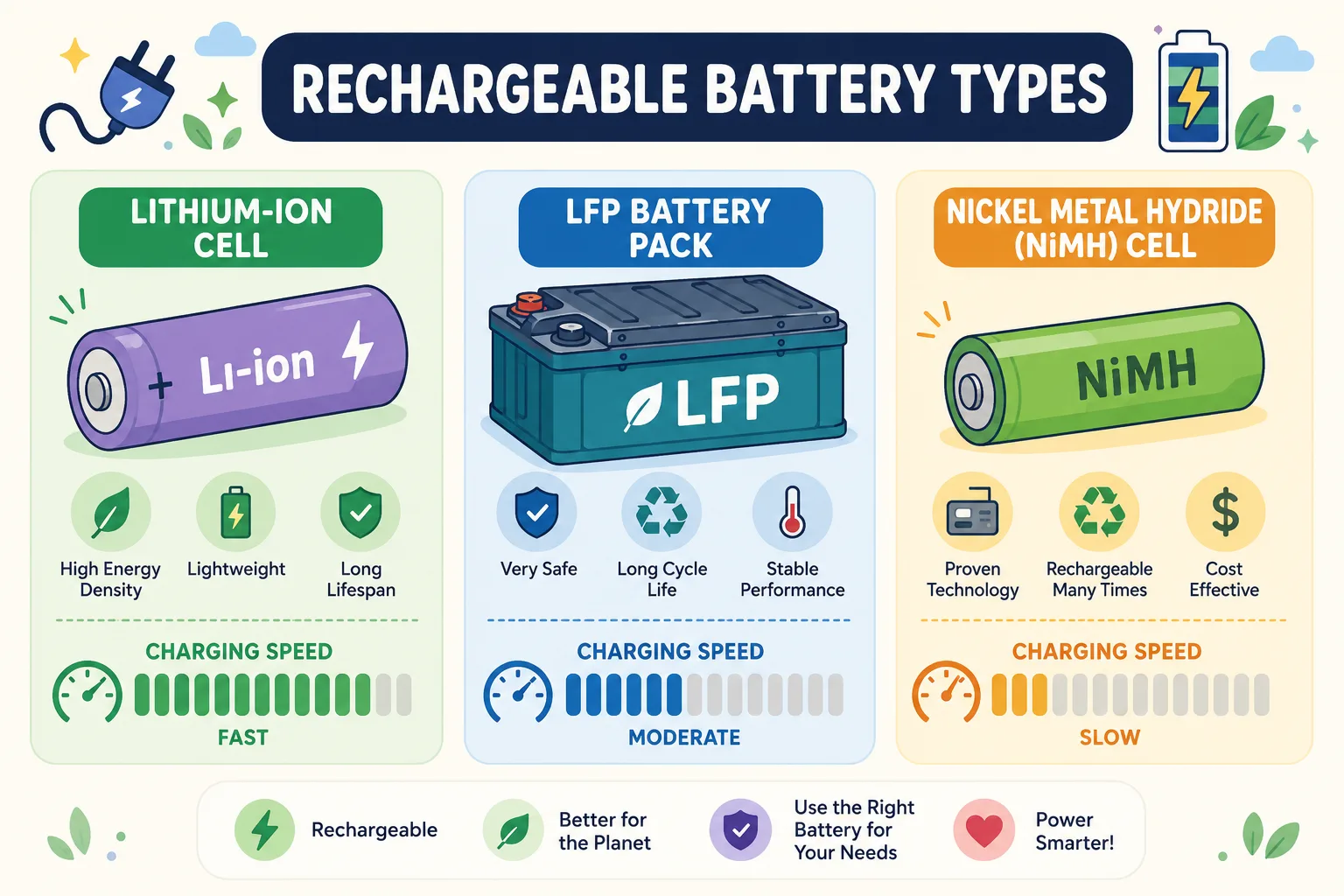
Lithium-ion batteries dominate modern electronics because they offer excellent energy density and rechargeability. Smartphones, laptops, tablets, power banks, and electric vehicles all rely heavily on lithium-ion technology. These batteries support fast charging but are highly sensitive to heat and voltage extremes.
When lithium-ion batteries become too hot or too cold, charging speed drops dramatically. Research into EV charging shows that both freezing and extremely hot conditions force battery management systems to throttle power intake for safety reasons.
Lithium-ion cells also age chemically over time. Every charging cycle slightly reduces their ability to hold and accept energy efficiently. After hundreds or thousands of cycles, charging becomes noticeably slower because the internal chemistry simply cannot process energy as efficiently as before.
Lithium Iron Phosphate Batteries
Lithium Iron Phosphate, commonly called LFP, is increasingly used in electric vehicles and energy storage systems. LFP batteries are generally safer and longer-lasting than traditional lithium-ion batteries, but they often charge differently. They can tolerate more charging cycles and generate less heat, yet they may charge slower in colder environments.
These batteries also rely heavily on software-controlled charging curves. Manufacturers balance charging speed with longevity, meaning the system may intentionally limit speed under certain conditions. Many EV owners notice reduced charging performance during winter because LFP batteries struggle more in low temperatures.
Nickel-Based Rechargeable Batteries
Older rechargeable devices sometimes use nickel-metal hydride or nickel-cadmium batteries. These chemistries behave differently from lithium batteries and are more vulnerable to memory effects and inefficient charging patterns.
Nickel-based batteries typically charge slower because they cannot safely absorb extremely high current levels. They also generate more heat during charging, which further limits speed. While these batteries are less common today, many older electronics still suffer from these limitations.
Charging Cable and Adapter Problems That Reduce Speed
Sometimes the battery itself is perfectly healthy. The real problem hides in the charging accessories. Charging cables and power adapters are often overlooked, but they are among the most common causes of slow charging.
Low-Quality or Damaged Charging Cables
A charging cable may look perfectly fine on the outside while suffering severe internal damage. Bent connectors, broken shielding, and worn internal wires can dramatically reduce power transfer efficiency. Many people notice their device only charges when the cable is positioned a certain way. That is usually a strong sign the cable is damaged internally.
Cheap third-party cables are another major issue. Some low-cost cables cannot safely carry high current levels required for fast charging. Even if the charger supports 65W output, a poor-quality cable may restrict the device to much lower charging speeds.
| Cable Problem | Effect on Charging |
|---|---|
| Frayed internal wiring | Reduced power transfer |
| Low-quality materials | Slow charging speed |
| Unsupported fast-charge standards | Fast charging disabled |
| Loose connectors | Intermittent charging |
| Damaged shielding | Heat buildup and instability |
Weak or Incompatible Power Adapters
Using the wrong adapter is like trying to fill a swimming pool with a garden hose. If your device supports 45W charging but you use a tiny 5W charger, charging speed will be dramatically slower.
Modern fast charging systems also require compatible protocols. A mismatch between charger and device can force charging into a slower fallback mode. Some phones only activate fast charging when using certified adapters that support specific standards like USB-PD or PPS.
Dirty or Loose Charging Ports
Charging ports collect dust, lint, and debris surprisingly quickly. Tiny particles inside the port can prevent proper electrical contact, causing unstable or weak charging. Many users assume their battery is dying when the actual issue is nothing more than pocket lint blocking the connector.
Loose charging ports are another common problem. Frequent plugging and unplugging gradually wears out connectors, reducing charging reliability and speed. If your cable wiggles excessively or disconnects easily, the port may need repair.
Heat and Temperature Limits During Charging
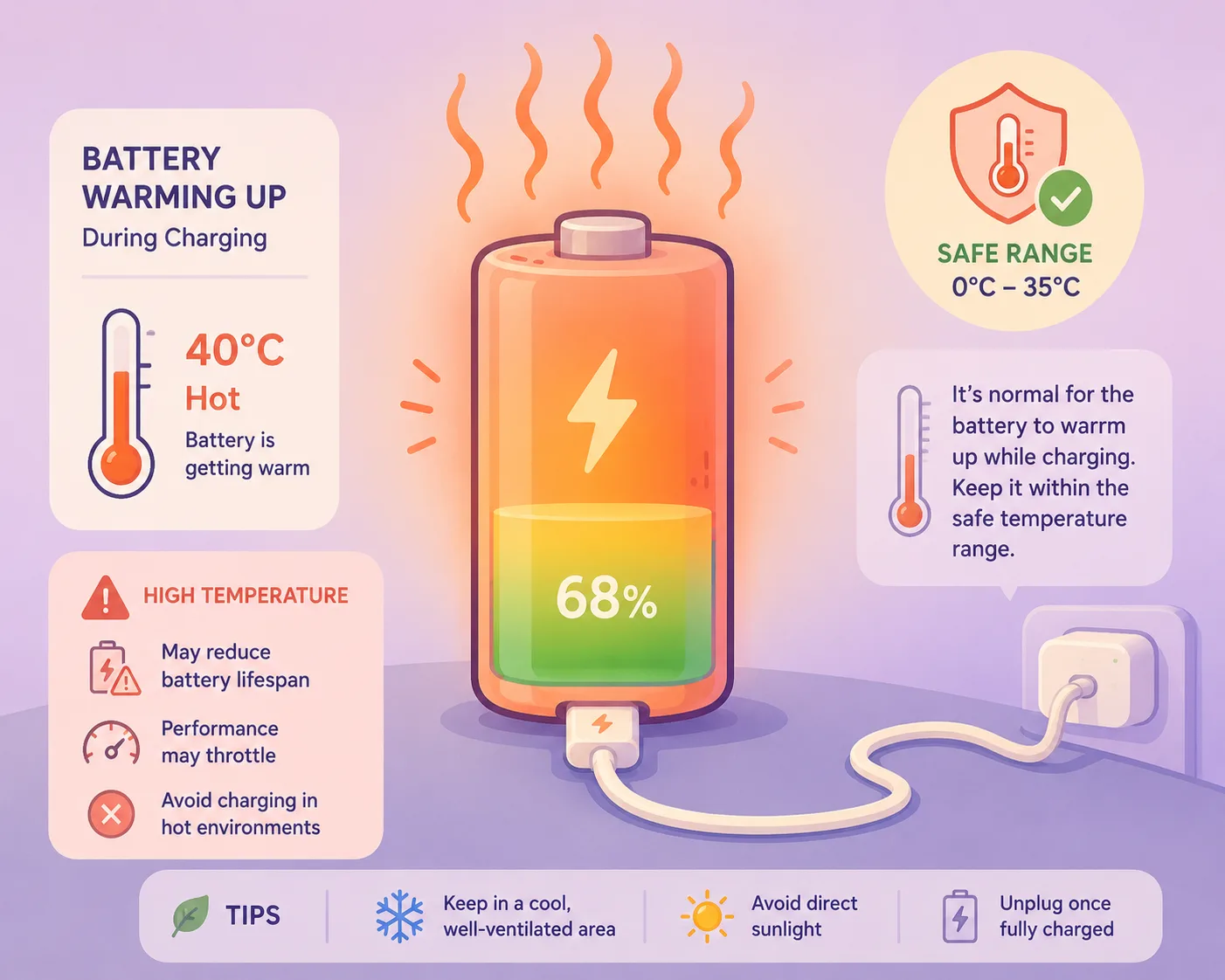
Heat is one of the biggest reasons batteries charge slowly. In fact, modern devices actively reduce charging speed whenever temperatures move outside safe operating ranges.
Why Heat Forces Devices to Slow Charging
Fast charging creates heat naturally because higher current generates more electrical resistance. Excessive heat damages battery chemistry, increases internal resistance, and accelerates long-term degradation. That is why devices include thermal protection systems that automatically slow charging when temperatures rise too high.
Research from battery experts and EV studies consistently shows that heat; not charging speed alone; is the primary factor behind battery aging.
Using your device heavily while charging makes the problem worse. Gaming, streaming video, GPS navigation, and video calls generate extra heat while simultaneously consuming power. The charger must fight both the device’s power consumption and thermal limitations at the same time.
Cold Temperatures and Charging Restrictions
Cold weather creates the opposite problem. Lithium-ion batteries rely on chemical reactions that slow dramatically in freezing conditions. Devices protect themselves by reducing charging current until the battery warms up.
Electric vehicle studies show charging speeds can drop sharply in winter because cold batteries resist energy transfer. Smartphones experience similar behavior, though usually less dramatically.
Leaving a phone in a cold car overnight or charging outdoors during winter can significantly reduce charging performance. Many devices temporarily disable fast charging until internal temperatures return to normal.
Background Power Usage That Drains Energy at the Same Time
One of the sneakiest causes of slow charging is background power consumption. Your device may technically be charging correctly while simultaneously burning energy almost as fast as it receives it.
High-Power Apps Running During Charging
Apps constantly syncing data, downloading updates, tracking location, or streaming content can consume substantial power during charging. Social media apps, cloud backup services, and navigation tools are especially notorious for heavy background activity.
This creates the illusion of slow charging because the battery percentage rises very slowly. In reality, the charger is working properly, but the device is using much of that incoming energy immediately.
Screen Brightness, Gaming, and GPS Usage
Using a device while charging is like trying to fill a bathtub while the drain remains open. Bright displays, demanding games, and GPS navigation place enormous stress on processors and graphics hardware.
Modern smartphones can consume several watts of power during intensive tasks. If the charger only provides slightly more power than the device is actively using, charging becomes painfully slow. That is why devices charge dramatically faster when left idle with the screen off.
Battery Aging and Its Effect on Charging Efficiency
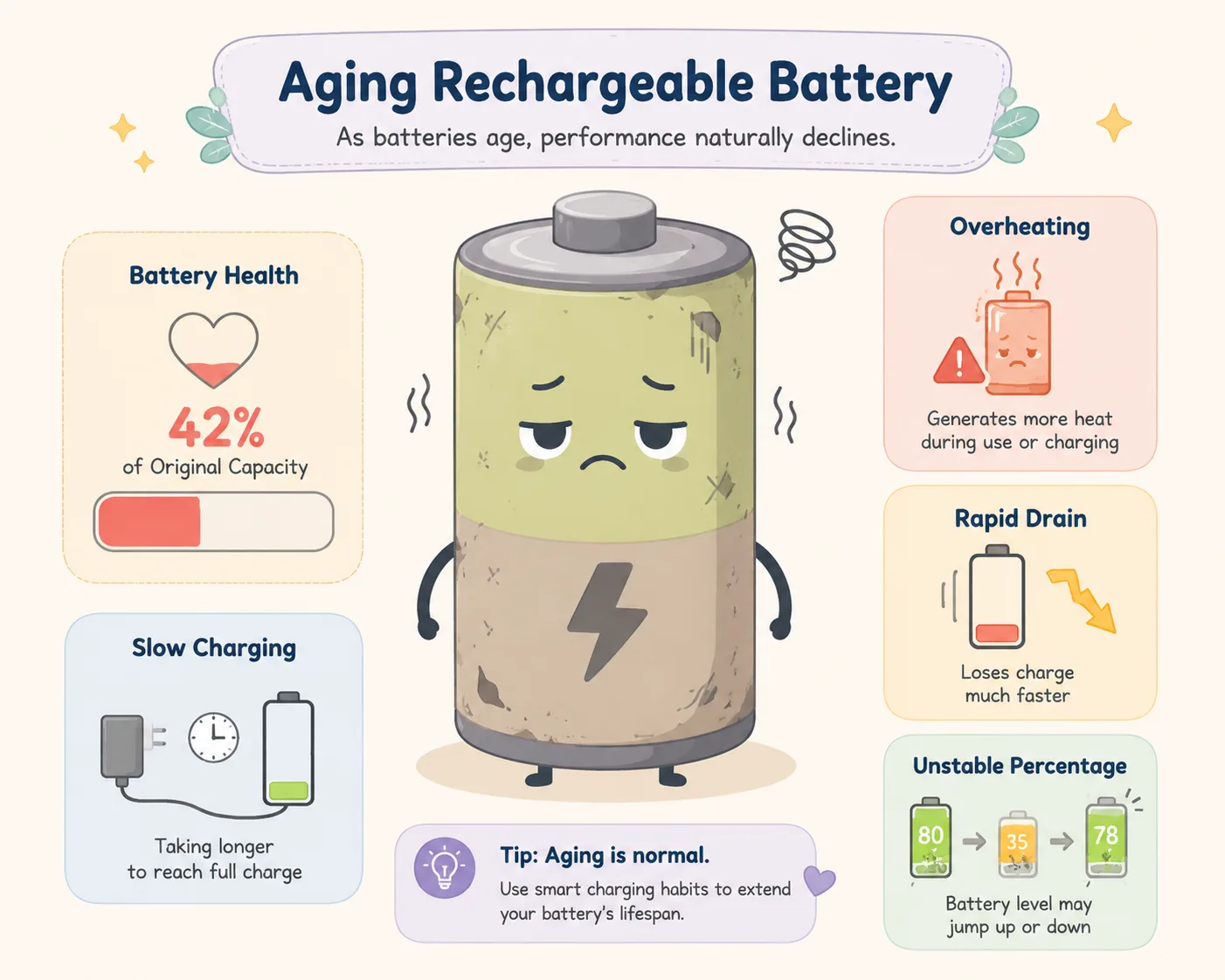
Batteries are consumable components. They wear out gradually with every cycle, every heat exposure, and every full charge. Aging batteries often become slower, hotter, and less efficient.
Chemical Degradation Inside the Battery
Inside every rechargeable battery, microscopic chemical changes occur during charging and discharging. Over time, these reactions create resistance that limits how efficiently energy moves through the cells.
Battery research continues to show that repeated heat exposure, high charging voltages, and frequent deep discharges accelerate degradation.
An aging battery behaves like an old sponge that has stiffened over time. It still absorbs water, but much more slowly and less effectively than before.
Signs Your Battery Health Is Declining
Several warning signs suggest your battery may be losing health:
- Charging feels noticeably slower than when the device was new
- Battery drains unusually fast
- Device overheats during charging
- Unexpected shutdowns occur
- Battery percentage jumps erratically
- Fast charging stops working consistently
Many devices now include battery health monitoring tools that estimate remaining capacity and cycle count. Checking these metrics can help determine whether aging is causing slow charging.
Software and Power Management Issues to Check
Not every charging problem comes from hardware. Software can also interfere with charging performance.
Battery Optimization Features
Modern operating systems include intelligent charging features designed to extend battery lifespan. Some devices intentionally slow overnight charging and wait until morning to complete the final percentage.
These features are useful for long-term battery health, but users sometimes mistake them for charging problems. Adaptive charging systems analyze usage habits and deliberately reduce charging speed to minimize stress on the battery.
Operating System Bugs and Firmware Problems
Software updates occasionally introduce charging bugs or power management glitches. Corrupted firmware may interfere with charging negotiation between the device and charger.
Restarting the device, updating software, or resetting power settings sometimes resolves mysterious charging slowdowns. In electric vehicles, software updates are increasingly used to improve charging efficiency and battery thermal management.
Signs the Battery May Be Developing a Fault
Sometimes slow charging points toward a more serious battery issue rather than a temporary inconvenience.
Swelling, Overheating, and Rapid Drain
A failing battery may swell physically due to internal gas buildup. Devices might feel unusually hot during charging, discharge rapidly, or refuse to hold charge properly.
These symptoms should never be ignored. Swollen lithium batteries can become dangerous if punctured or overheated. If the device casing bulges or the screen begins separating from the frame, stop using the device immediately.
When You Should Replace the Battery
Battery replacement becomes necessary when:
- Battery health falls below acceptable capacity
- Charging speed becomes unusably slow
- Device overheats consistently
- Swelling appears
- Runtime becomes extremely short
Replacing an old battery often restores charging performance dramatically because the device no longer struggles against degraded chemistry and high internal resistance.
Best Ways to Improve Charging Speed Safely
Improving charging speed does not always require expensive repairs. Small adjustments often make a major difference.
Here are some effective ways to charge faster while protecting battery health:
| Solution | Why It Helps |
|---|---|
| Use certified fast chargers | Ensures proper power delivery |
| Replace damaged cables | Restores efficient current flow |
| Avoid gaming during charging | Reduces heat and power drain |
| Keep devices cool | Prevents thermal throttling |
| Clean charging ports | Improves electrical contact |
| Update software regularly | Fixes charging bugs |
| Avoid extreme temperatures | Protects battery chemistry |
| Use airplane mode when charging | Reduces background activity |
The most important principle is balance. Fast charging is not inherently harmful, but unmanaged heat and poor charging habits gradually wear batteries down.
Conclusion
Slow battery charging can feel incredibly frustrating, especially in a world where fast charging technology promises instant power. The reality is much more complicated than simply plugging into a stronger charger. Battery chemistry, cable quality, temperature, software behavior, power consumption, and battery age all influence charging performance.
Modern batteries are intentionally cautious. Devices slow charging to protect themselves from heat, voltage stress, and chemical degradation. In many situations, slow charging is actually a sign that the battery management system is working correctly.
Understanding the root causes behind charging slowdowns makes troubleshooting far easier. Sometimes the fix is as simple as replacing a cable or cleaning the charging port. Other times, the battery itself may simply be reaching the end of its usable lifespan.
The healthiest charging habits focus on controlling heat, using quality accessories, and avoiding unnecessary stress on the battery. Treat your battery well, and it will reward you with faster charging, longer lifespan, and more reliable performance over time.
FAQs
1. Why does my phone charge slowly even with a fast charger?
Your cable, adapter, charging port, battery temperature, or software settings may be limiting charging speed. Fast charging only works when all components support the same charging standard.
2. Does fast charging damage batteries?
Modern fast charging is generally safe because devices carefully manage heat and voltage. Excessive heat is usually more harmful than charging speed itself.
3. Why does charging slow down after 80%?
Devices intentionally reduce charging speed near full capacity to prevent overheating and battery stress. This is normal behavior in lithium-ion batteries.
4. Can background apps slow charging?
Yes. Gaming, streaming, GPS navigation, and syncing apps consume power while charging, making the battery percentage rise more slowly.
5. How do I know if my battery is failing?
Warning signs include overheating, swelling, rapid draining, sudden shutdowns, inconsistent charging, and significantly reduced battery life.

Colt Marlowe is a 29-year-old American content writer based in Boise, Idaho. He specializes in technology, digital tools, and online business topics, combining years of research with practical experience to produce clear, trustworthy articles. As a contributor to wirelogic.online, he focuses on creating well-researched, reader-friendly content that emphasizes accuracy, transparency, and long-term value for audiences seeking reliable information.